operating system microOS
A downloadable game
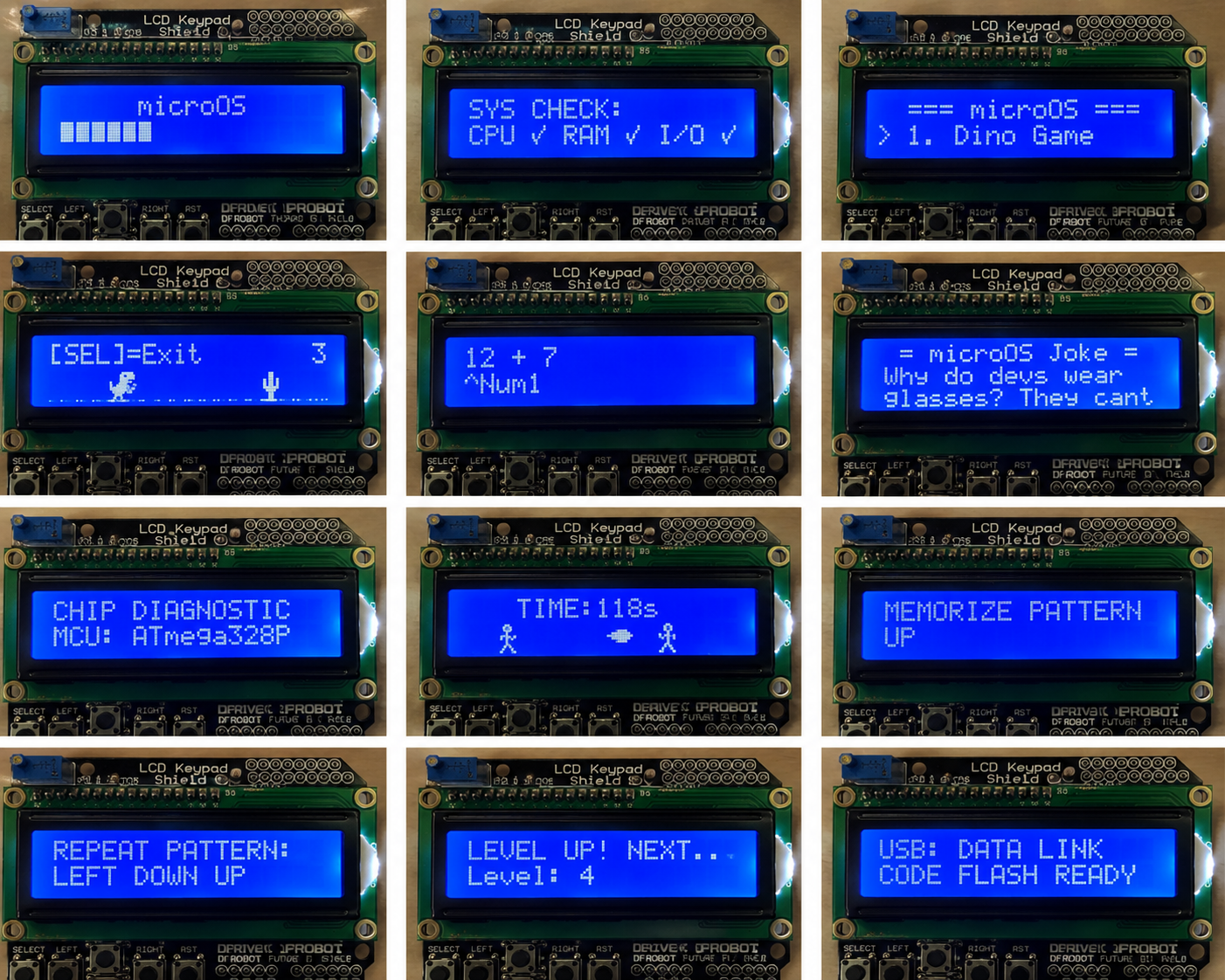
from above images you can see that this is a operating system push arduino uno to its limits you can download file ad then upload in your arduino uno with lcd keypad 16*2 after that you can enjoy and use your system it has many application for security, health, entertaiment, games and calculator help THANK YOU
Download
Install instructions
📥 THANK YOU FOR YOUR PURCHASE! 🚀
You have successfully unlocked the complete source code for microOS v1.0. Follow these 3 simple steps to get the operating system running live on your hardware right now:
📂 STEP 1: Extract the Project Folder
- Locate the downloaded
microOS.zipfolder on your computer. - Right-click the file and select "Extract All..." (or Uncompress on Mac) [From Tool].
- Open the newly extracted folder. Inside, you will see your master source file named exactly
microOS.ino.
🔌 STEP 2: Configure Your Arduino IDE Layout
- Double-click the
microOS.inofile. It will launch instantly inside your desktop Arduino IDE workspace. - Plug your Arduino Uno board into your computer’s USB port using your cable interface.
- Go to the top toolbar menu of your IDE and set up your target board mapping:
- Tools > Board > Arduino Uno
- Tools > Port > Select your active COM Port
⚡ STEP 3: Verify and Flash the System!
- Click the Verify (Checkmark icon) in the top left corner of the IDE to let the compiler check the code. (You will see that it uses less than 21% of your dynamic RAM, leaving plenty of space safe from memory crashes!)
- Click the Upload (Right-arrow icon) right next to it.
- The status bar will read "Done Uploading".
LOOK AT YOUR LCD SCREEN! The circles will instantly glide across line 1, collide in the center, slowly print out the microOS typewriter title, and launch your 5-second Windows XP-style solid loading bar! Use your shield navigation buttons to scroll down through all 7 installed applications.
Leave a comment
Log in with itch.io to leave a comment.